Event Terms
Luma can help you collect consent to your terms and conditions.
This is especially useful if you have a legal form that your guests need to sign before joining the event. For example, if you’re hosting an obstacle course race, you may want to ask guests to sign a legal waiver.
You can add Event Terms as a registration question for your event.
On the web Manage Event Page > Registration > Custom Questions you can add a Terms question.
When adding the question you have a few options:
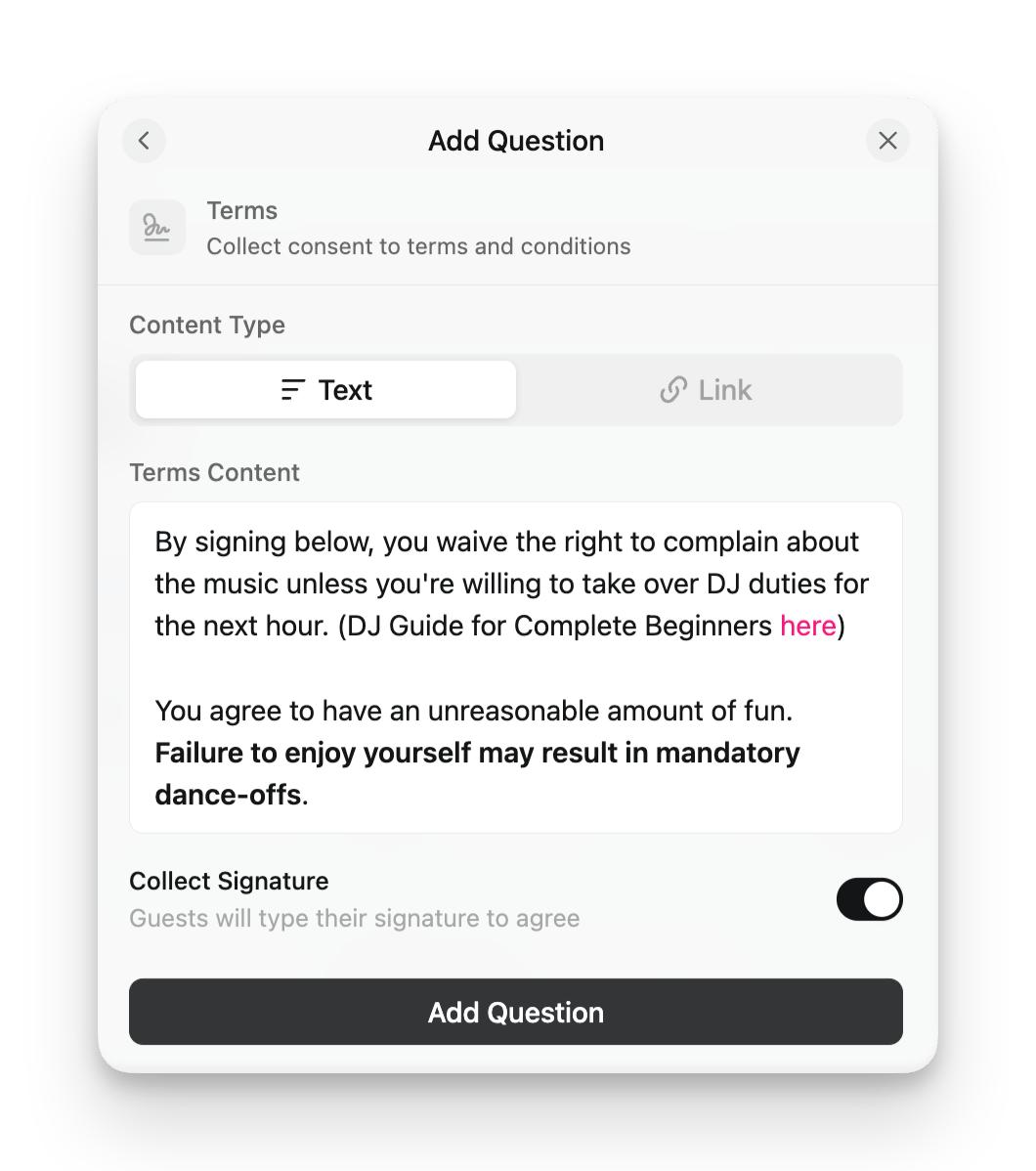
- Content Type — Text or Link. You can paste in your event terms as rich text. Or if you already have your terms on a website, you can put in a link to that website.
- Show Text Before Accept — For text terms, you can require guests to open and view the terms before they can accept. This option isn’t available for link terms.
- Require Signature — You can choose to ask guests to type in their digital signature. This can be helpful when you need extra confirmation that guests are agreeing to the terms.
How It Shows Up on the Registration Form
The Terms question renders as a single checkbox on the registration form: "By registering, I agree to the event terms." The words "event terms" are a link — guests click it to view your full terms in a popup. The terms text itself isn’t shown inline on the form.
If Show Text Before Accept is on, checking the box opens the terms popup first — guests review the terms and tap Accept Terms before the box is checked.
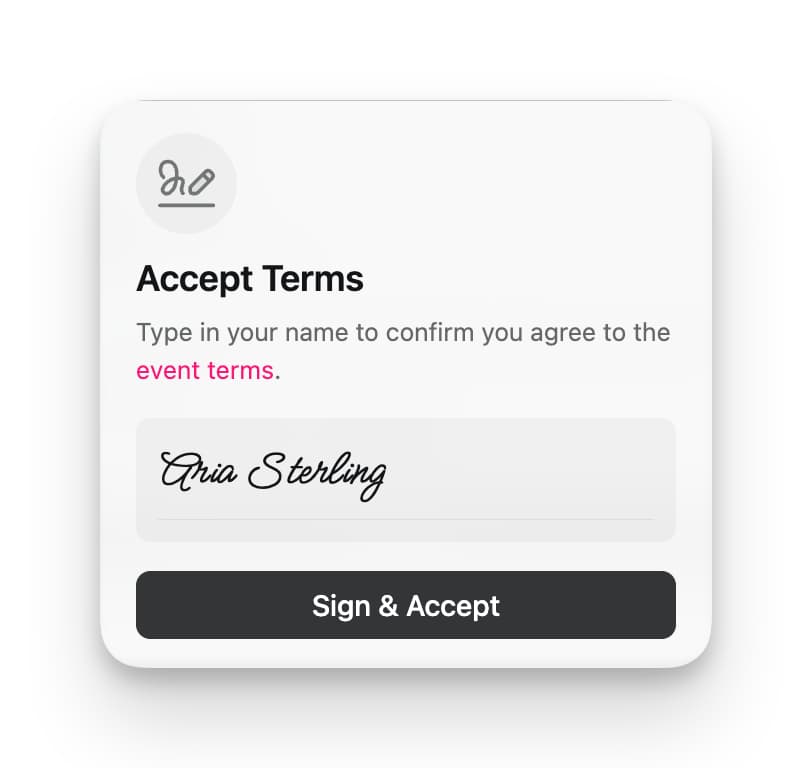
If Require Signature is on, checking the box opens a popup where the guest types their name as a digital signature. If it’s off, the checkbox alone captures their acknowledgment.
The Terms question always shows a checkbox — it can’t be turned into pure display text, and it can’t be pre-selected. If you want a privacy notice or disclaimer to appear visibly on the page (without a checkbox or modal), put the text in your event description instead.
Here are the options you’ll see when you add a new Terms question to an event:
And when a guest is prompted to sign the terms, they’ll see the following signature flow.
You can see a demo of the Event Terms registration flow with this event.