Facebook / Meta Tracking Pixel
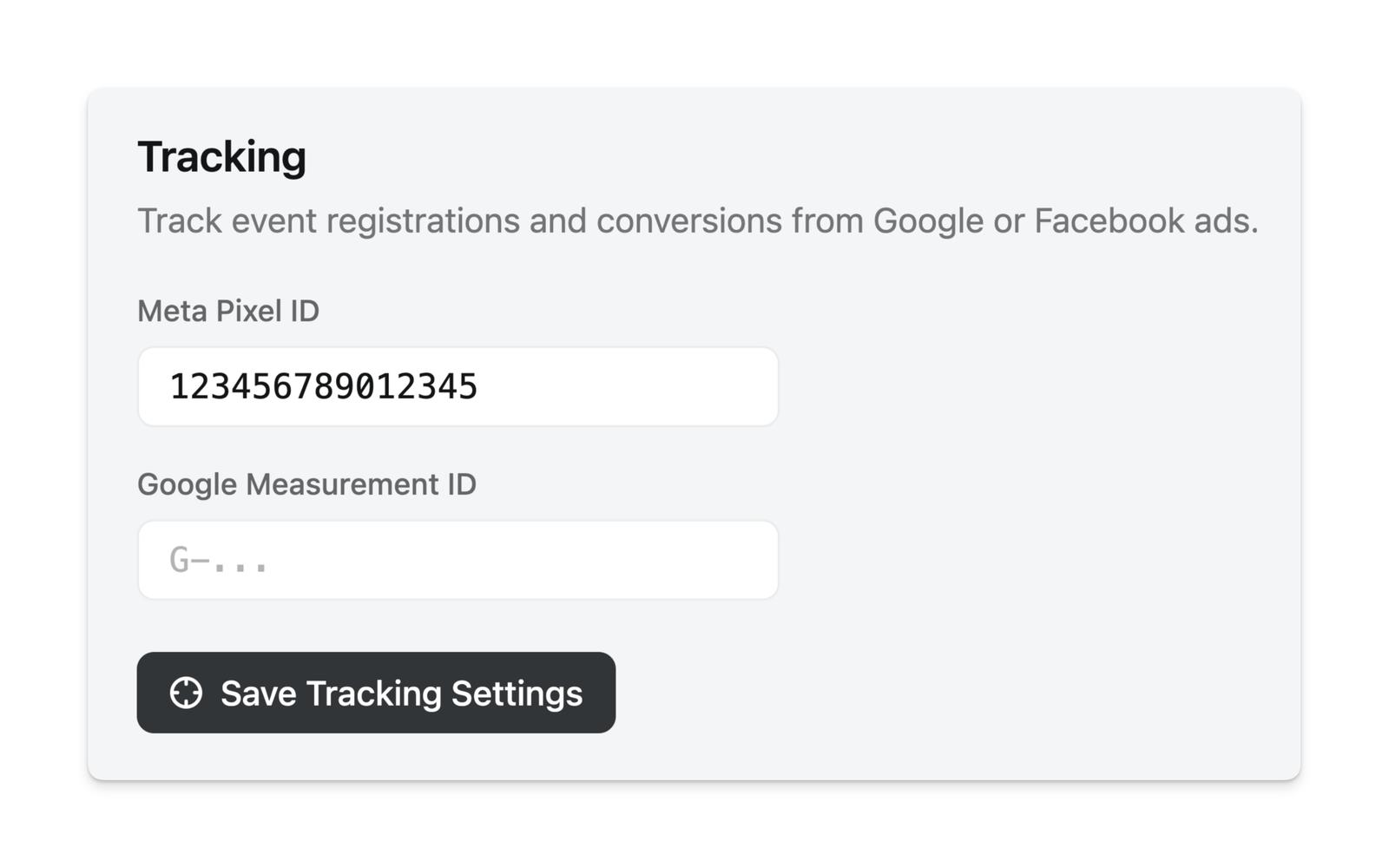
With Luma Plus, you can set up a Meta Tracking Pixel to track guest registrations.
We will send the following events to Meta:
PageViewon your calendar and event pagesCompleteRegistrationwhen a guest registers without payingPurchasewhen a guest pays for a ticket, with the amount as thevalue
CompleteRegistration and Purchase fire when the guest submits registration, including when they’re placed on Pending or the Waitlist. Approving a guest later doesn’t send another event.
These event names are fixed and can’t be remapped to other Meta standard events. Purchase only fires when the guest is actually charged — a paid ticket that’s fully discounted with a coupon fires CompleteRegistration instead.
You need Luma Plus in order to set up the Meta Tracking Pixel. Once you’re on Luma Plus, you can set it up at Calendar > Settings > Options.
Measuring Ad Campaigns
Meta attributes conversions to your ads on its own — Ads Manager only counts registrations that came from an ad click or view, while Events Manager shows the total across all traffic. You don’t need a different event name to tell ad-driven registrations apart from organic ones.
To see the same split inside Luma, add a utm_source to the links in your ads, for example https://luma.com/your-event?utm_source=meta_ads. Page views from that link show up under UTM Sources in your event insights, and each registration’s utm_source is shown in the guest details panel and included in the guest export. See event referrals for more on UTM links.
Insights also labels visits that arrive with Meta’s fbclid as Meta Ad, but Facebook and Instagram add fbclid to organic link clicks too — see event insights for how sources are labeled.
Keeping Luma Events Separate
If you already use the same pixel on your own website, Luma registrations land in the same CompleteRegistration and Purchase events as the ones from your site. Every event Meta records includes the page URL, so you can filter by luma.com in Events Manager or build a custom conversion with a “URL contains luma.com” rule. If you’d rather keep the data fully separate, create a second pixel in Events Manager and use that pixel ID on your Luma calendar.
Troubleshooting
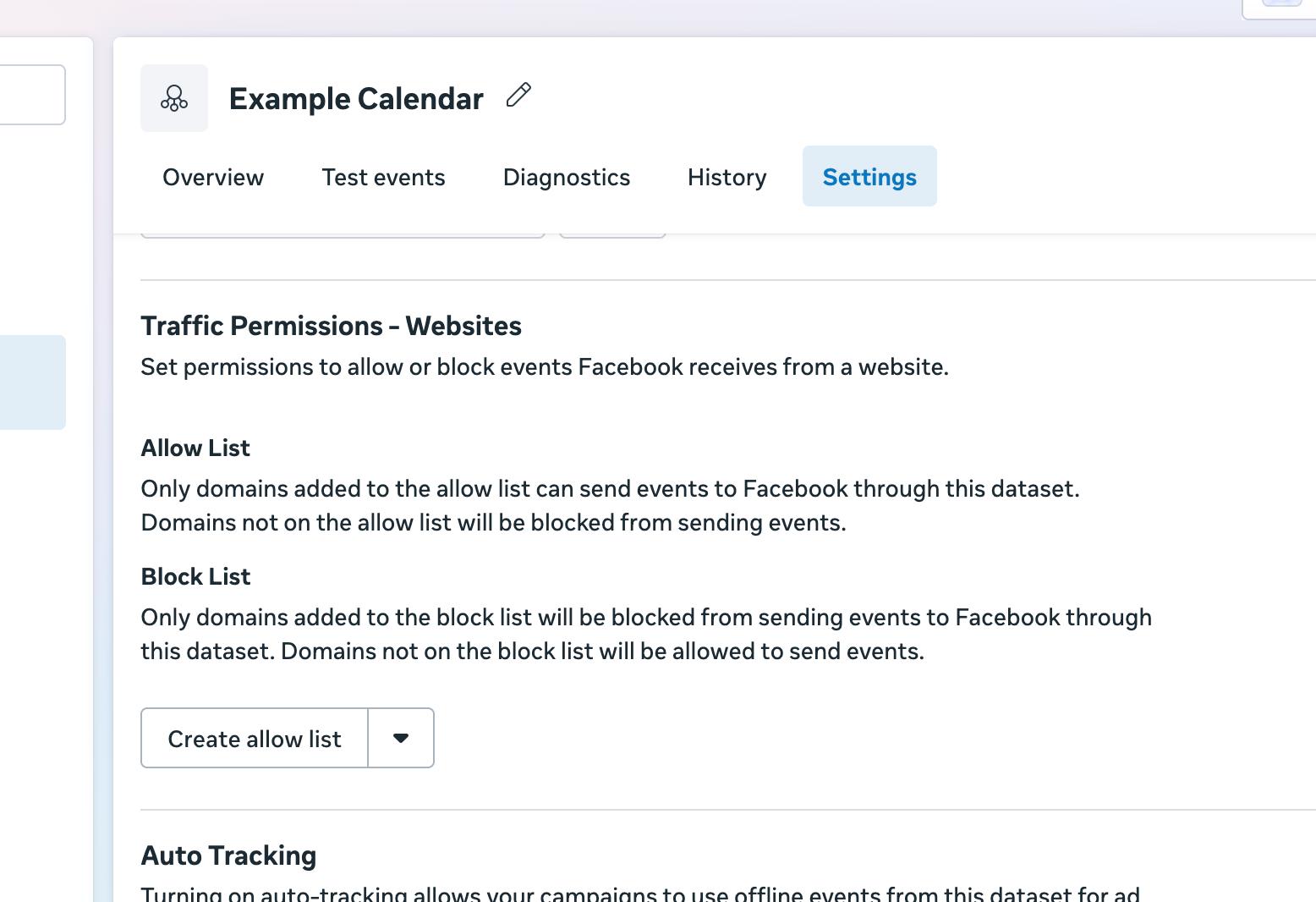
If you aren’t seeing events come through, check Traffic Permissions of your Meta Pixel in Meta Events Manager. Make sure luma.com is allowed to send events with your Pixel. For more information, see Meta’s documentation on Traffic Permissions.
We also recommend using the Meta Pixel Helper Chrome Extension to verify the pixel setup is working and that the events are being sent.